I'm a participant in the Amazon Services LLC Associates Program, an affiliate advertising program designed to provide a means for me to earn fees by linking to Amazon.com and affiliated sites.
Watching your dog sleep on the couch or checking whether your cat has knocked something off the counter shouldn’t require another monthly subscription. Yet many popular pet cameras reserve video history, animal detection, or other useful features for paying customers.
Fortunately, there are cameras that let you watch your pets, receive alerts, and save recordings without committing to a cloud storage plan. The trick is understanding exactly what remains free.
Some cameras provide basic live viewing without a subscription but charge extra for identifying animals. Others support local recording to a microSD card, allowing you to review footage without paying to store it in the cloud.
For most pet owners, the TP-Link Tapo C120 is our best overall pick. Its free pet-specific detection, two-way audio, and local recording make it particularly useful for checking on dogs and cats while you’re away.
However, it’s not the best choice for every home. If your pet moves between different areas of a room, a camera that pans and tilts may be more convenient. And if you want higher-resolution video or additional local storage options, another model may be worth considering.
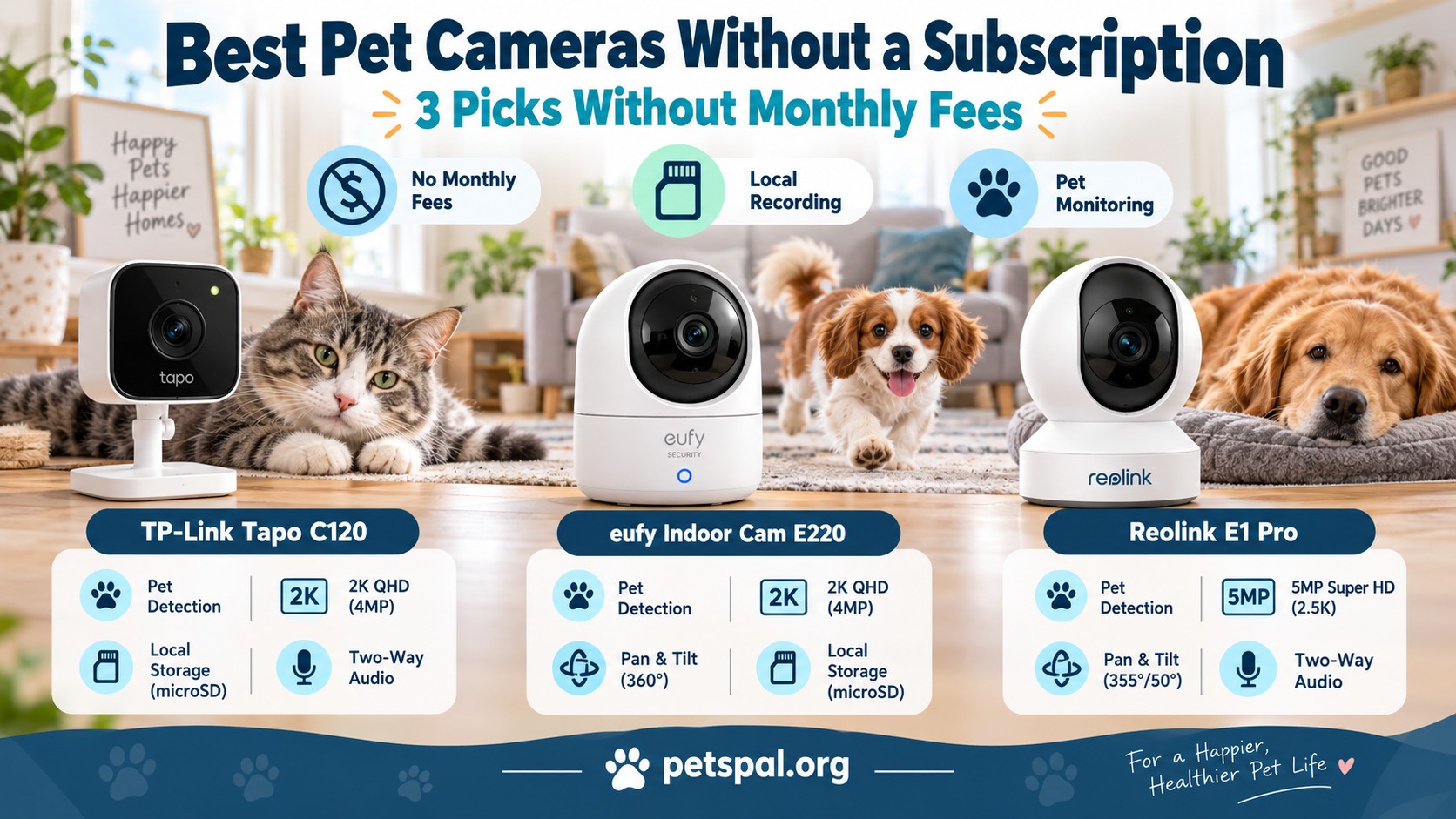
Here are three pet cameras that provide useful monitoring features without requiring a monthly subscription.
Quick Comparison: Best Subscription-Free Pet Cameras
| Camera | Best For | Resolution | Free Pet Detection | Local Storage | Pan & Tilt | Price | |
|---|---|---|---|---|---|---|---|
| TP-Link Tapo C120 | 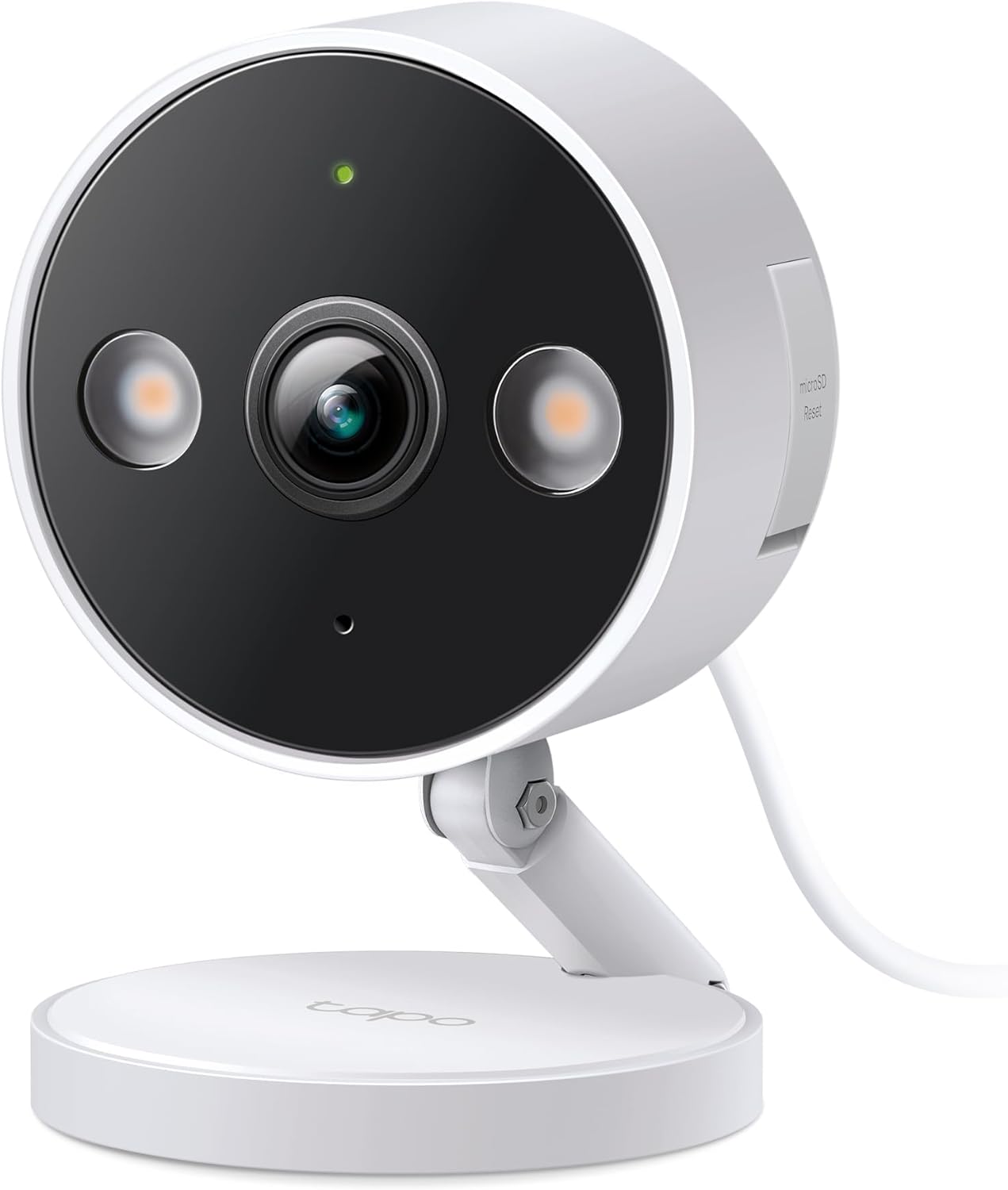 | Best overall | 2K QHD | Yes, plus bark and meow detection | microSD up to 512GB | No |  |
| eufy Indoor Cam E220 | 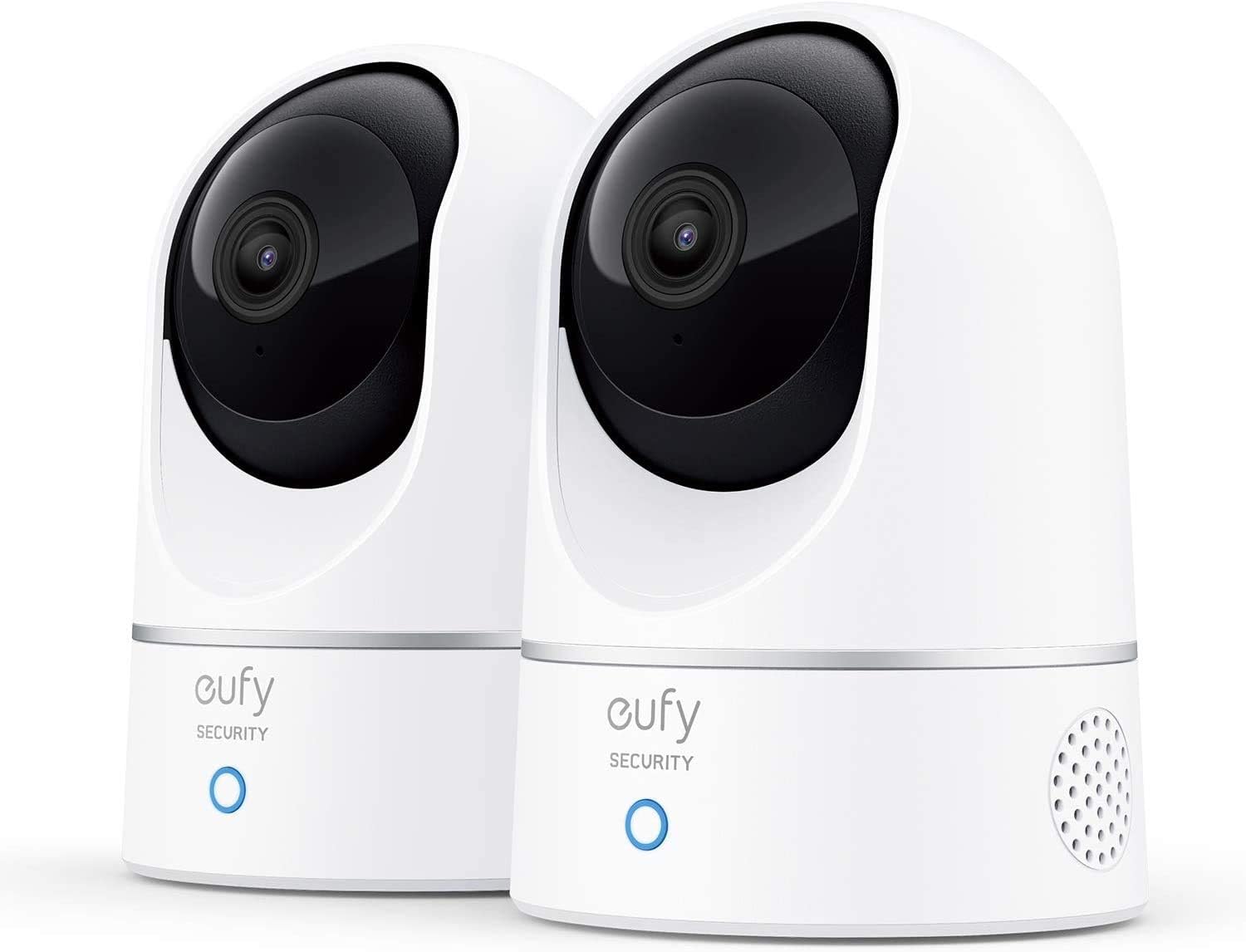 | Following moving pets | 2K | Yes | microSD, card sold separately | Yes | |
| Reolink E1 Pro (5MP) | 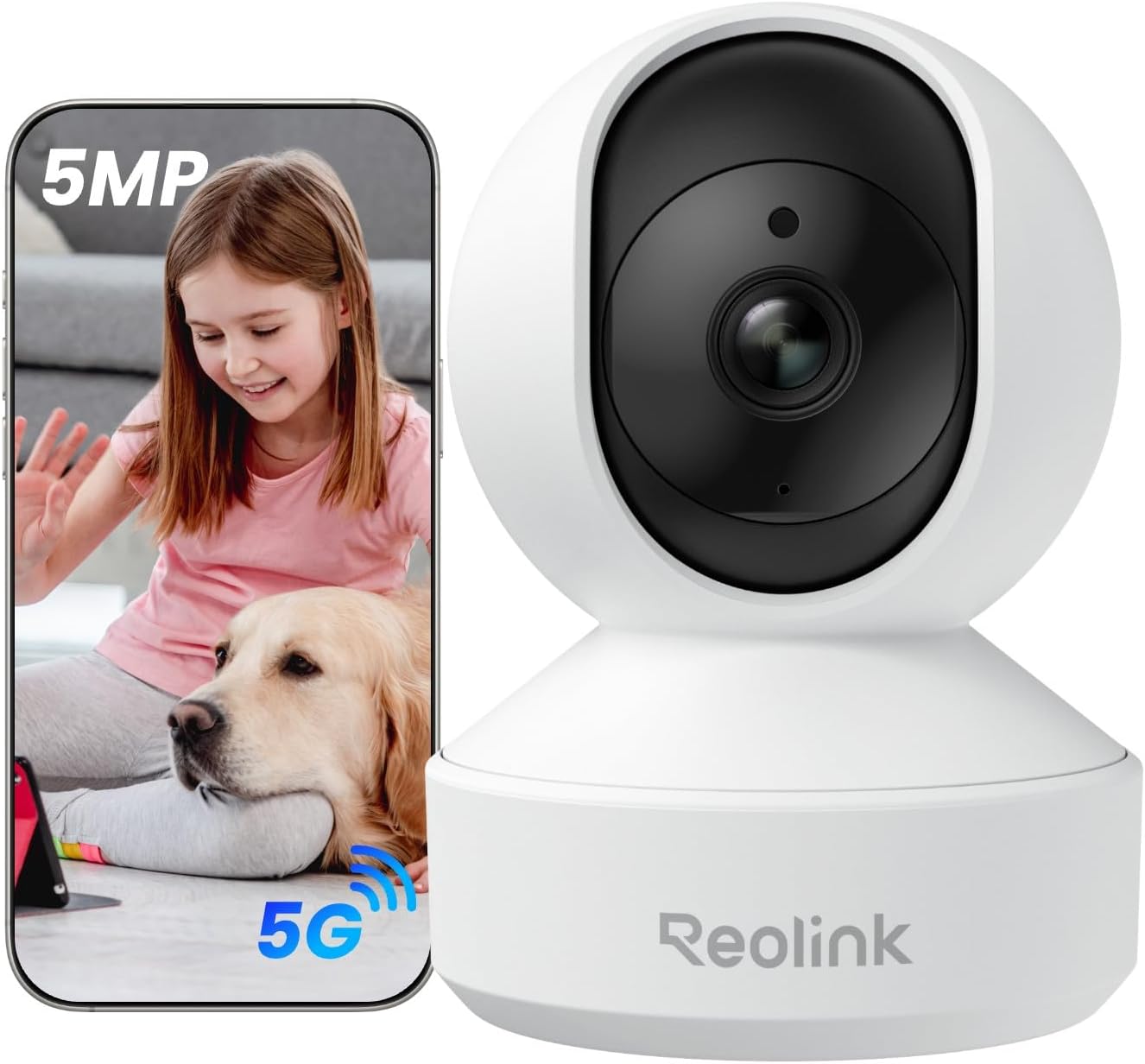 | Whole-room coverage | 5MP | Yes | microSD up to 512GB; compatible Reolink systems | Yes | |
All three cameras offer two-way audio, night vision, smartphone viewing, and local recording without a required monthly cloud plan. Each needs a continuous wired power connection, and a microSD card is an additional purchase.
One important limitation: subscription-free does not mean internet-free. These cameras still rely on networking for setup and remote smartphone access. Recording behavior during internet outages varies by model and configuration.
1. TP-Link Tapo C120: Best Pet Camera Without a Subscription Overall
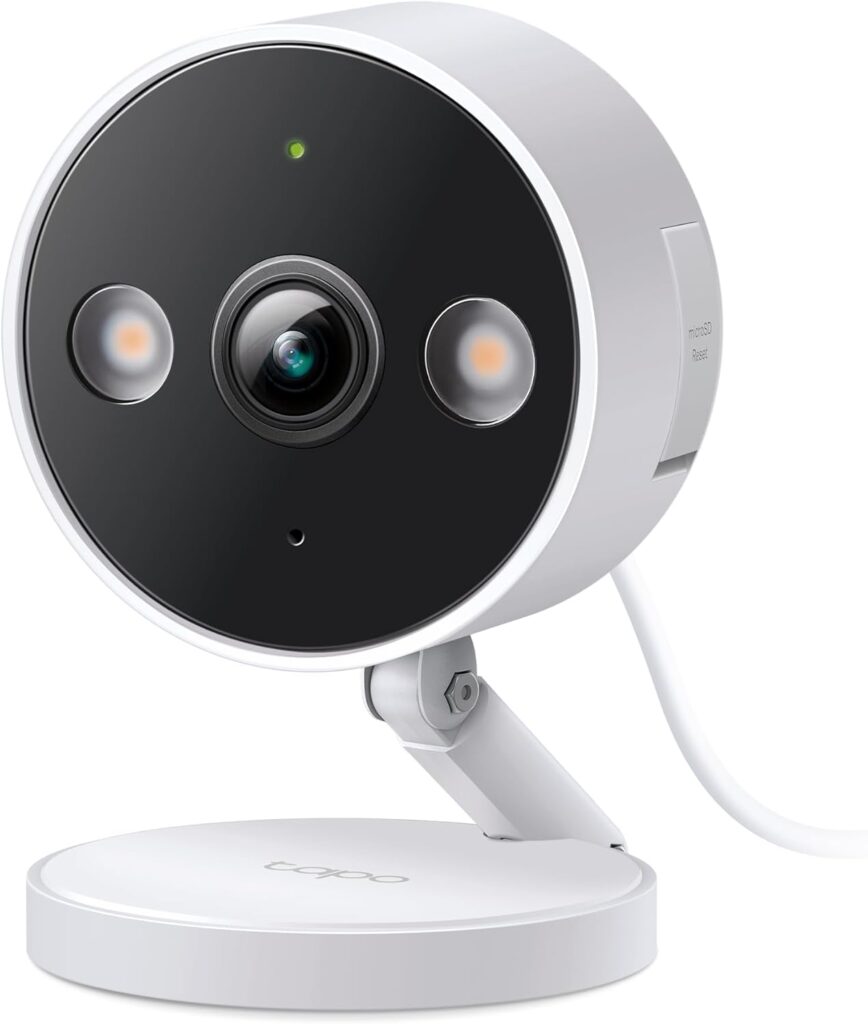
The TP-Link Tapo C120 earns our top recommendation because it includes features that are especially relevant to pet owners without placing them behind a subscription.
While many inexpensive security cameras simply notify you when anything moves, the Tapo C120 can distinguish several types of activity. Its free on-device detection includes pets, barking, and meowing, along with other event categories.
That distinction makes a difference when monitoring animals.
Imagine you’re at work and your dog starts barking repeatedly. Rather than receiving only a generic motion alert, you can configure the camera to notify you about barking. Similarly, cat owners may find the meow detection useful for checking unusual vocal activity.
These alerts aren’t a substitute for checking on your pet, and sound recognition won’t always identify every bark or meow correctly. Nevertheless, they’re more useful for pet monitoring than basic motion detection alone.
What makes the Tapo C120 worth buying?
The camera records in 2K QHD resolution (2560 × 1440), providing enough detail for checking on pets across a typical room.
It also includes two-way audio, so you can hear what’s happening and speak through the camera using the Tapo app.
For nighttime monitoring, the C120 offers infrared night vision and color night vision using built-in spotlights. Its invisible infrared mode is particularly useful when you’d rather not have visible lighting disturbing a sleeping pet.
Another significant advantage is local storage.
Insert a compatible microSD card, up to 512GB, and the camera can record video without requiring a Tapo Care subscription. You can review stored footage through the camera’s supported playback features.
Tapo Care is available for optional cloud recording, extended cloud history, and enhanced notification features, but the camera’s basic pet-detection functionality doesn’t require it.
What are the drawbacks?
The biggest limitation is its fixed viewing angle.
Although the C120 has a relatively wide field of view, it cannot physically turn to follow your pet. If your dog walks behind furniture or your cat leaves the camera’s view, you’ll need another camera or a different position.
This makes placement particularly important.
For example, if your dog spends most of the afternoon in a living room near a favorite bed, positioning the C120 to cover that area may work well.
However, if your cat frequently wanders between opposite ends of a large room, a pan-and-tilt camera could be more practical.
The C120 also requires access to a power outlet. Its compact design allows flexible placement, but it isn’t a battery-powered portable camera.
Pros
- Pet, bark, and meow detection without a subscription
- 2K video with color and infrared night vision
- Two-way audio for checking on and speaking to pets
- Local microSD recording up to 512GB
- Suitable for indoor or outdoor installation
Cons
- No motorized pan-and-tilt tracking
- Cloud recording and enhanced cloud notifications cost extra
- Requires wired power
- microSD card sold separately
Our verdict: Choose the Tapo C120 if you want an affordable, straightforward camera for watching a pet’s usual resting or play area. Its free animal-specific detection gives it an advantage over many similarly priced alternatives.
2. eufy Indoor Cam E220: Best for Pets That Move Around the Room
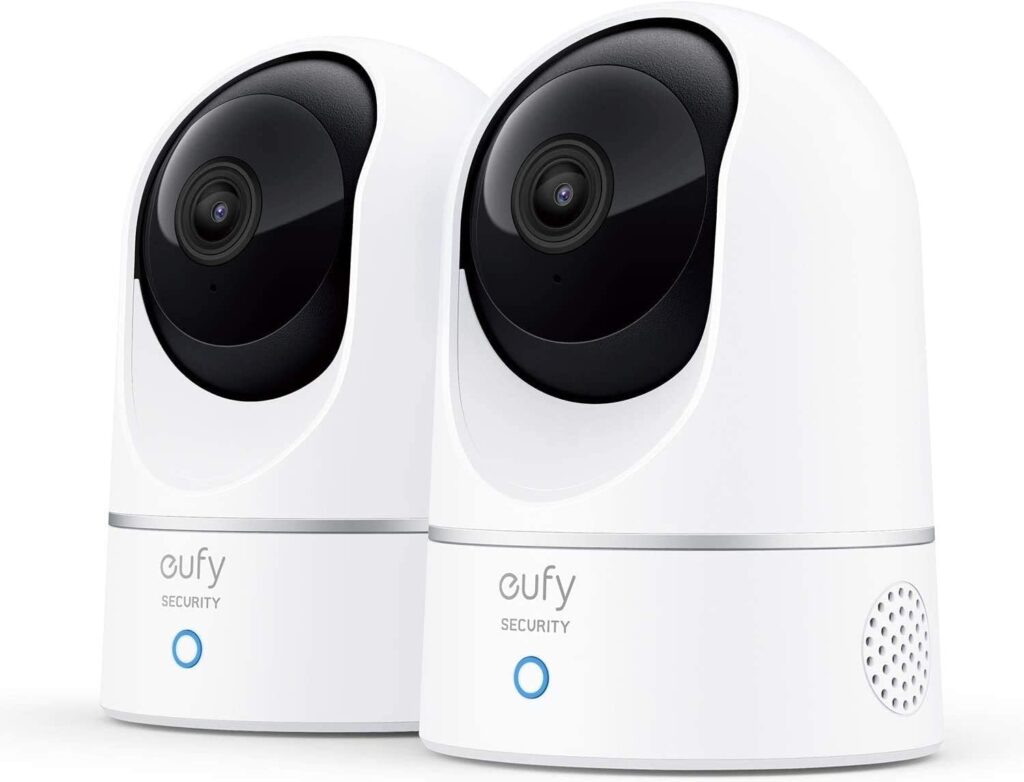
The eufy Indoor Cam E220 is a better option if your dog or cat rarely stays in one place.
Instead of relying on a fixed viewing angle, the E220 uses a motorized pan-and-tilt mechanism to cover more of the room. It can also automatically track detected movement.
That makes it useful for pets that move between a bed, a feeding area, and a favorite window throughout the day.
For instance, you might place the camera on a shelf overlooking your living room. When your dog moves across the room, the camera can follow the activity rather than leaving most of it outside the frame.
This doesn’t guarantee that the camera will track every movement perfectly, especially when animals move behind furniture, change direction quickly, or leave its mechanical viewing range. But it offers more coverage than a stationary camera.
What do you get without a subscription?
The eufy Indoor Cam E220 records in 2K resolution and supports local video storage using a compatible microSD card.
It includes on-device AI features designed to recognize humans and pets. Those detection capabilities can help reduce notifications caused by unrelated movement.
You can also receive alerts, use two-way audio, and view your camera through the eufy app without purchasing a monthly cloud storage plan.
For pet owners, the combination of motion tracking and pet detection is the main attraction.
Rather than purchasing multiple fixed cameras for a single open room, you may be able to monitor a larger area with one E220.
The camera also supports continuous local recording when configured with suitable storage.
What are the drawbacks?
The E220 is designed for indoor use. Unlike the weather-resistant Tapo C120, it isn’t appropriate for exposed outdoor installation.
Although its camera can turn, it cannot see through walls, furniture, or other obstacles. It also needs a stable location where the motorized camera can move without obstruction.
The pan-and-tilt feature may be unnecessary if your pet spends most of the day in one predictable location.
There is also a privacy consideration. A moving indoor camera can cover areas that a stationary camera might not. Position it carefully, particularly in shared homes, and let other household members know where recording occurs.
Pros
- Pan-and-tilt coverage with automatic motion tracking
- 2K video resolution
- Pet detection without a mandatory subscription
- Two-way audio and night vision
- Local video storage with a microSD card
- Useful for larger rooms and active pets
Cons
- Indoor use only
- Requires continuous wired power
- microSD card sold separately
- May lose track of pets behind furniture or obstacles
- Additional cloud services are optional paid features
Our verdict: The eufy Indoor Cam E220 is our choice for pet owners who want one camera to cover a larger indoor area. It’s especially appealing for cats that explore the room or dogs that alternate between several resting spots.
3. Reolink E1 Pro: Best for Whole-Room Monitoring and Local Recording
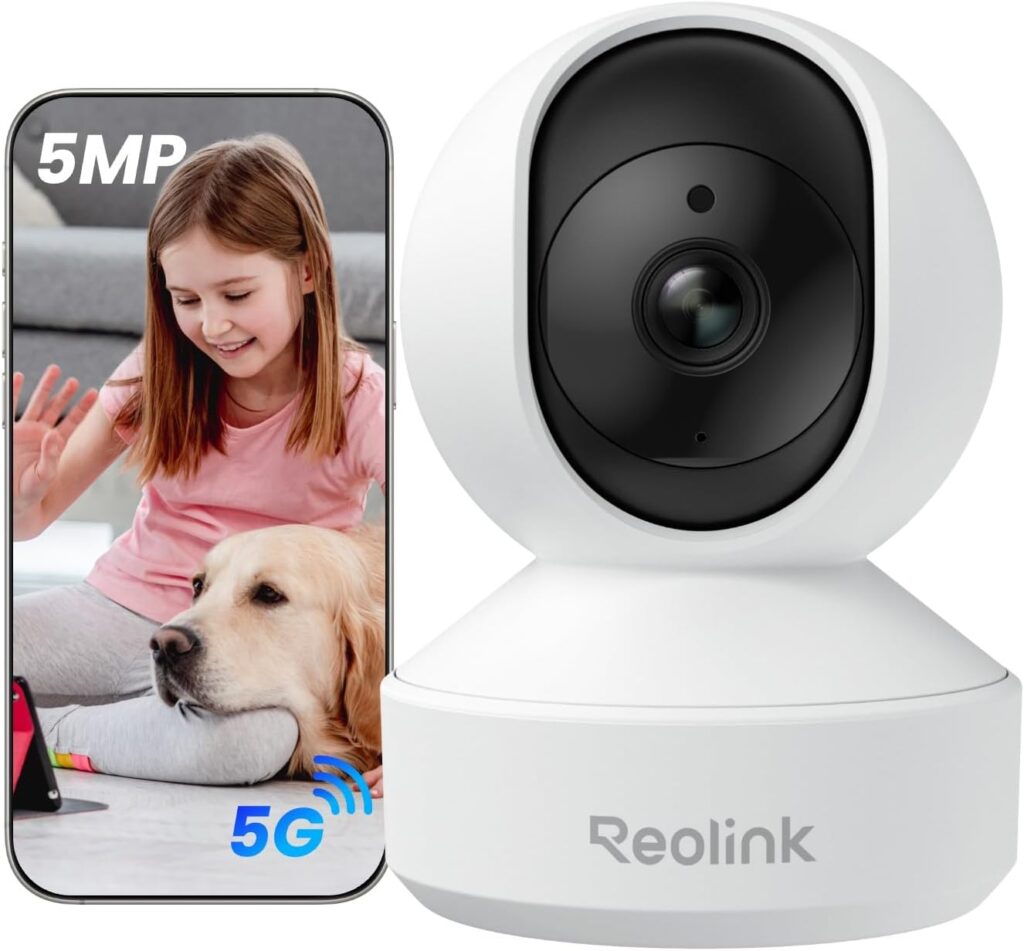
The Reolink E1 Pro is another strong choice for pet owners who don’t want ongoing subscription costs.
What makes it stand out is the combination of higher-resolution video, pan-and-tilt controls, animal detection, and flexible local storage.
The current 5MP E1 Pro offers a resolution of 2880 × 1616, providing more pixels than the 2K cameras in this guide. That can be helpful when checking smaller details in a room, although resolution alone doesn’t determine video quality.
Lighting, movement, compression, and camera placement also affect how useful a recording looks.
Why consider the Reolink E1 Pro?
Reolink supports local recording through a microSD card of up to 512GB. The E1 Pro can also work with compatible Reolink recording systems, which may be useful if you eventually want several cameras.
The manufacturer explicitly states that basic operation and recording do not require a monthly subscription.
The camera also supports person and pet detection, two-way audio, infrared night vision, and automatic tracking.
With a horizontal pan range of approximately 355 degrees and a vertical tilt range of 50 degrees, it can cover considerably more of a room than a fixed camera.
This makes it a good fit for owners who want to monitor multiple areas, such as a feeding station, doorway, and sleeping area, from one position.
The E1 Pro also supports both 2.4GHz and 5GHz Wi-Fi, providing more network flexibility than cameras limited to 2.4GHz.
What are the drawbacks?
Although the E1 Pro supports automatic tracking, the manufacturer specifies that auto-tracking operates horizontally. You can control tilt manually, but you shouldn’t expect the camera to follow a climbing cat vertically in the same way it follows movement across the floor.
It’s also larger and less discreet than some compact fixed cameras.
Reolink offers several E1 models, and their capabilities differ. Buyers should verify that the listing is for the current 5MP E1 Pro rather than an older or lower-resolution variant.
Like the other cameras in this guide, it also needs a continuous power connection and a separate microSD card for standalone local recording.
Pros
- Higher-resolution 5MP video
- No required subscription for recording or basic operation
- Person and pet detection
- Pan-and-tilt viewing with horizontal auto-tracking
- Local microSD recording up to 512GB
- Compatible with additional Reolink recording equipment
- Supports 2.4GHz and 5GHz Wi-Fi
Cons
- Automatic tracking is horizontal only
- Indoor use only
- Requires wired power
- microSD card sold separately
- Multiple E1 variants can make shopping confusing
Our verdict: Choose the Reolink E1 Pro if you want a subscription-free indoor camera with higher-resolution video, room tracking, and additional local recording options. It’s particularly useful if you may eventually expand to a multi-camera system.
| Camera | Best For | Resolution | Free Pet Detection | Local Storage | Pan & Tilt | Price | |
|---|---|---|---|---|---|---|---|
| TP-Link Tapo C120 | | Best overall | 2K QHD | Yes, plus bark and meow detection | microSD up to 512GB | No | |
| eufy Indoor Cam E220 | | Following moving pets | 2K | Yes | microSD, card sold separately | Yes | |
| Reolink E1 Pro (5MP) | | Whole-room coverage | 5MP | Yes | microSD up to 512GB; compatible Reolink systems | Yes | |
What Does “No Subscription Required” Actually Mean?
This is the most important part of shopping for a subscription-free pet camera.
Manufacturers often advertise cameras as usable without a monthly plan, but the features included for free can vary significantly.
There are four separate features to check before purchasing.
1. Live viewing
Live viewing lets you open an app and watch what’s happening in real time.
Many cameras offer this without charge, including the three recommended here.
However, live viewing alone doesn’t mean the camera saves recordings or identifies animals.
If you only want to check whether your dog is sleeping on the sofa, free live viewing may be enough.
2. Local video recording
Local recording saves footage on a microSD card or another compatible storage device.
This is the feature that can eliminate the need for monthly cloud storage payments.
Instead of relying on a subscription to retrieve recorded clips, the camera stores them locally.
Storage is limited by card capacity, recording quality, and recording frequency. Cameras commonly overwrite older footage when the card fills.
3. Smart pet detection
Pet detection is separate from ordinary motion detection.
A camera with basic motion detection may notify you when curtains move, a shadow shifts, or your dog walks past.
A camera with pet detection attempts to recognize an animal and categorize the event accordingly.
This can make alerts more relevant, but it doesn’t guarantee that every pet will be recognized or that false notifications will disappear.
The Tapo C120, eufy E220, and current Reolink E1 Pro offer pet-detection functions without requiring subscriptions.
4. Cloud video history
Cloud storage uploads recordings to an external service rather than keeping them only on the camera’s memory card.
It can be convenient, especially if the camera is damaged or stolen, but it frequently requires a paid subscription.
For many pet owners, locally saved footage provides the functionality they need without the recurring cost.
The bottom line: A genuinely useful subscription-free pet camera should offer more than a free live image. Look for local recording, meaningful alerts, and the ability to review footage without being forced into a paid plan.
Why We Didn’t Choose the Wyze Cam v4
The Wyze Cam v4 deserves consideration because it’s an affordable camera with good image resolution, night vision, two-way audio, and microSD recording.
Wyze confirms that continuous local recording remains available without a subscription.
However, there’s an important distinction.
While the camera can record locally, Wyze reserves AI-powered smart detection features, including pet detection, for paid service plans.
That means the Wyze Cam v4 is still useful if you primarily want to check on your pets and review footage manually. It is less attractive if your goal is to receive free notifications specifically identifying animal activity.
For this particular article, we prioritized cameras offering pet-specific detection without a subscription.
If you don’t need animal-specific notifications, the Wyze Cam v4 remains a reasonable alternative.
How Much Money Can a Subscription-Free Pet Camera Save?
Even a relatively inexpensive monthly cloud storage plan can add substantially to the cost of owning a camera.
Consider a hypothetical subscription costing $5 per month.
Ownership Period | Camera With $5 Monthly Plan | Subscription-Free Camera |
|---|---|---|
1 year | $60 in fees | $0 in subscription fees |
2 years | $120 in fees | $0 in subscription fees |
3 years | $180 in fees | $0 in subscription fees |
5 years | $300 in fees | $0 in subscription fees |
These figures illustrate subscription costs only. They don’t include the camera, electricity, or memory card, and they aren’t quotations of a particular company’s current subscription pricing.
You may have to buy a microSD card initially, but that one-time purchase can be more economical than paying continuously for cloud storage.
A memory card may eventually need replacement, especially if the camera records around the clock. Even so, the ability to choose and manage local storage gives you greater control over recurring expenses.
What to Look for in a Pet Camera Without Monthly Fees
A cheap camera isn’t necessarily the best value if it doesn’t cover the areas you need or creates too many unhelpful alerts.
Before buying, consider the following factors.
Fixed camera vs pan-and-tilt camera
A fixed camera may be sufficient if your pet stays in one particular location, such as a crate, bed, or favorite corner of a room.
For more active animals, a pan-and-tilt camera can provide wider coverage.
However, movement tracking isn’t always necessary. A stationary camera positioned in the right place can sometimes provide more consistent footage of a feeding area or doorway.
Pet detection vs ordinary motion detection
If you want to know when your dog barks or your cat becomes active, look for animal-specific detection.
The Tapo C120 is particularly attractive here because it includes separate bark and meow detection features.
But avoid interpreting automated pet alerts as medical or behavioral assessments. They can help you notice activity, not determine why an animal is making noise.
Two-way audio
Two-way audio lets you speak through your camera.
This may be useful for communicating with someone caring for your pet or occasionally getting your pet’s attention.
However, speaking unexpectedly through a camera can confuse or distress some animals. If your dog becomes more agitated when hearing your voice without seeing you, it’s better not to use this feature as a calming strategy.
Night vision
Pets often sleep, move around, or explore when the lights are off.
Infrared night vision makes it possible to monitor them without leaving the room fully illuminated.
Color night vision can provide additional detail, but cameras often need ambient light or built-in spotlights to produce color footage.
For bedrooms and sleeping areas, invisible infrared night vision may be preferable to visible illumination.
Local storage capacity
Consider whether you want to record continuously or save footage only when the camera detects activity.
Continuous recording provides a fuller history but fills the card more quickly.
Event-based recording uses less storage but may miss activity that doesn’t trigger detection.
For cameras operating continuously, choose a compatible high-endurance microSD card designed for repeated video recording, and confirm the manufacturer’s recommended specifications.
Privacy and security
Pet cameras are still internet-connected cameras inside your home.
Choose a strong, unique account password, enable multifactor authentication where available, and keep firmware updated.
Place cameras away from private spaces and avoid recording visitors or other household members without their knowledge.
Local storage reduces reliance on cloud video archives, but it doesn’t automatically eliminate all network or privacy risks.
Can You Use a Pet Camera Without Wi-Fi?
Not all subscription-free cameras function completely independently of Wi-Fi.
The three recommended models are Wi-Fi-enabled cameras that use a network connection for setup, smartphone viewing, and remote notifications.
If your internet connection fails, you generally won’t be able to watch your pet remotely until connectivity returns.
Some camera configurations may continue recording locally during an internet outage, provided they have power, appropriate storage, and their recording settings support it. But behavior differs between manufacturers.
If this is important to you, test the exact camera before relying on it.
For instance, configure local recording, disconnect the internet temporarily, and confirm whether the camera continues saving footage that can be reviewed afterward.
This is particularly worthwhile if you live somewhere with frequent service interruptions.
Are Subscription-Free Pet Cameras Better Than Furbo or Petcube?
Dedicated pet cameras such as Furbo and Petcube offer features that general security cameras may not provide.
Depending on the model, these may include treat dispensing, specialized pet alerts, interactive features, and additional monitoring services.
Those extras can be appealing if you want more than basic video monitoring.
However, many specialized pet-camera features are linked to optional paid services, and the details vary by model and plan.
If your primary goal is simply checking on your cat or dog, reviewing local recordings, and receiving useful activity alerts, a general-purpose indoor camera may provide better long-term value.
The Tapo C120, eufy E220, and Reolink E1 Pro are good examples of cameras that can serve as pet monitors without needing pet-specific branding or a dedicated monthly service.
On the other hand, none of our three picks dispenses treats. If that’s a feature you particularly want, a dedicated pet camera may still make more sense.
Frequently Asked Questions
What is the best pet camera without a monthly subscription?
The TP-Link Tapo C120 is our best overall recommendation because it combines local recording, free pet detection, bark and meow alerts, night vision, and two-way audio. For pets that move around a large room, the eufy Indoor Cam E220 and Reolink E1 Pro offer motorized pan-and-tilt coverage.
Can a pet camera record without cloud storage?
Yes. Cameras with local microSD recording can save footage directly to a memory card instead of uploading it to a paid cloud archive. Storage capacity and recording options vary between models.
Is there a dog camera that alerts you to barking without a subscription?
Yes. The TP-Link Tapo C120 supports bark detection without requiring a Tapo Care subscription. It also offers meow detection for cat owners. Detection accuracy can vary with environmental noise and camera placement.
Do pet cameras need internet access?
Most smartphone-connected pet cameras require internet access for remote live viewing and notifications. Certain models can continue saving footage locally without internet, depending on their configuration and power supply. Verify offline recording support before purchasing.
Can I talk to my dog through a pet camera?
Yes. All three cameras recommended here offer two-way audio. However, some dogs become confused or agitated when they hear their owner’s voice without seeing them. Introduce the feature gradually and observe your pet’s response.
How much storage does a pet camera need?
That depends on resolution, compression, and whether the camera records continuously or only during detected events. Higher resolutions and continuous recording use more storage. A compatible 128GB or 256GB high-endurance card may be a useful starting point for many households, but confirm the model’s specifications.
Can I monitor multiple pets with one camera?
Yes, although one camera may not cover every area your pets use. A pan-and-tilt model can cover more of an open room, while a fixed camera may be sufficient for a shared feeding or sleeping area. Pet detection generally recognizes animal activity rather than reliably identifying which individual pet triggered it.
Is a subscription-free pet camera safe to use indoors?
A properly installed, reputable indoor camera can be a useful monitoring tool, but it doesn’t replace direct supervision, a pet sitter, or emergency care. Protect the camera account, keep firmware updated, and avoid exposed electrical cords that pets could chew.
Final Verdict: Which Subscription-Free Pet Camera Should You Buy?
For most dog and cat owners, the TP-Link Tapo C120 is the best place to start.
Its combination of free animal-specific detection, local storage, night vision, and two-way audio covers the features many owners actually need. If your pet spends much of the day in one room or near a predictable resting area, there may be little reason to pay more.
The eufy Indoor Cam E220 is a better fit when your pet moves around a large indoor space. Its automatic movement tracking makes one camera more useful for monitoring several areas of a room.
The Reolink E1 Pro is worth considering if higher-resolution footage, dual-band Wi-Fi, and additional local recording options are priorities.
Whichever you choose, check the free features before purchasing and budget for a compatible microSD card. A pet camera should help you stay connected to your animals, not require another ongoing expense just to review what happened while you were away.
Sources and Research
This article is based on manufacturer specifications and service documentation available in October 2026. It is a researched buying guide, not a hands-on product test. Product functionality and subscription policies may change.
- TP-Link Tapo C120: https://www.tapo.com/us/product/smart-camera/tapo-c120/
- eufy Indoor Cam E220: https://service.eufy.com/article-description/Introducing-eufy-Indoor-Cam-2K-Pan-Tilt
- Reolink E1 Pro: https://reolink.com/us/product/e1-pro/
- Wyze local recording and subscription comparison: https://support.wyze.com/hc/en-us/articles/7372980709275-How-do-Cam-Plus-and-a-microSD-card-compare